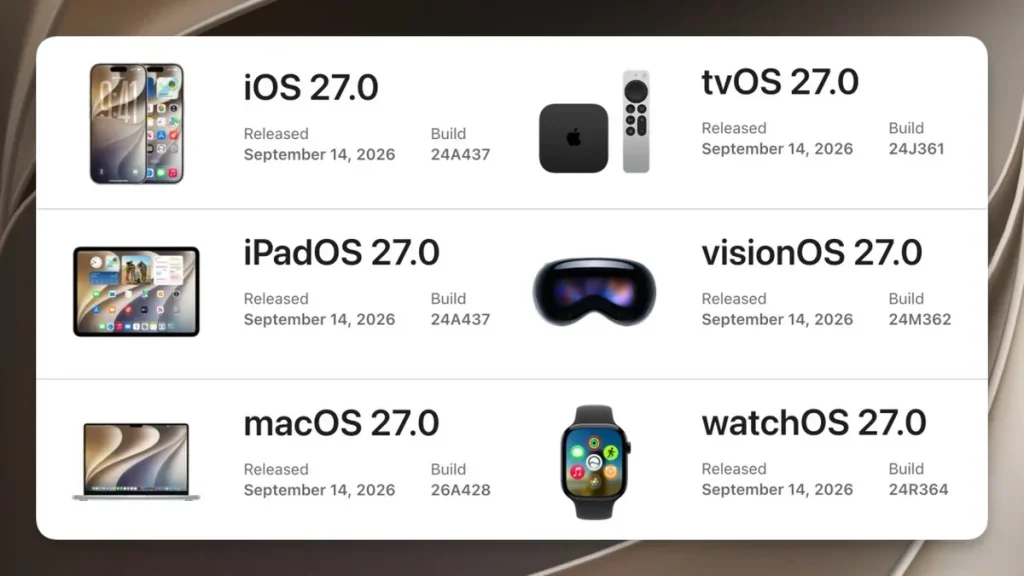
iOS 27 is out for the iPhone 11 and newer. Apple says apps open up to 30% faster. Here’s what actually changed, and who should wait.
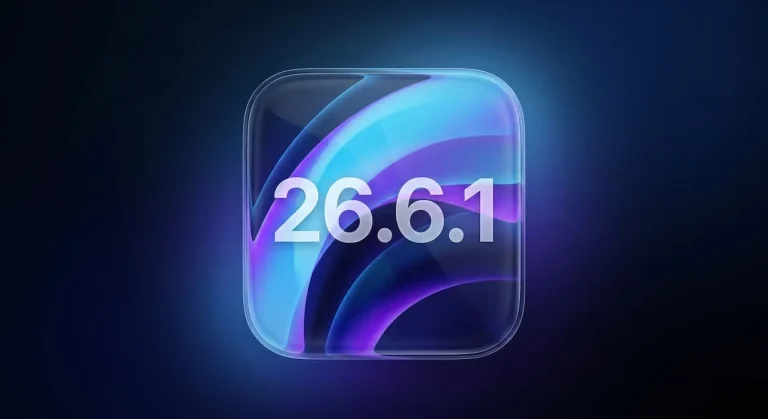
iOS 27 landed on Monday, September 14. The build number is 24A437. The download runs about 8GB. It ships for the same device list as iOS 26: anything from the iPhone 11 and the second-generation iPhone SE onward, which means a phone bought in 2019 still gets the newest software.
I read the build number clue in beta 7 back in August. I guessed September 15. Off by a day.
So what did you actually get? Mostly speed. One design correction. A long list of small repairs.
Start with the numbers. Apple says apps launch up to 30% faster. Photos show up in your library up to 70% faster, and AirDrop runs up to 80% faster.
But almost nobody repeats where those numbers came from. The app-launch test ran on an iPhone 11 Pro Max. That phone came out in 2019. The camera test used an iPhone 15 with 50,000 photos.
AirDrop was measured between two iPhone 16 Plus units, with Wi-Fi off. That’s the detail I’d hang on to. A 30% gain on a seven-year-old handset is a bigger claim than 30% on a new one.
And I’ve read enough release notes to distrust one test device. A lab phone isn’t your phone. It has none of your apps, and none of your battery history.
The bigger story is that this is a repair release. Apple shipped Liquid Glass last year. Plenty of people said the text was hard to read. Especially over a busy wallpaper.
Apple’s wording is that Liquid Glass now has “more uniform refraction and improved contrast”, which is a polite way of saying the panels behind your text stopped swallowing it. App icons are sharper. Settings also gets a slider. It runs from ultra-clear to fully tinted.
Apple hasn’t said where that slider lives, or what the label reads. Even so, it’s the most-requested fix in this update. iOS 26 looked great in a keynote.
Then you set a photo as your wallpaper. The text vanished. Now there’s a dial, and the whole interface follows it.
I haven’t installed it yet. I don’t run betas on my daily driver. I tried that once, and a public beta left me unable to make calls for three days.
My coffee went cold twice this morning. That’s more about my morning than about this update. I’ll get to the install this week.
What follows is what changed. It’s aimed at people who aren’t buying a new phone this year.
What did Apple actually fix?

Performance first. Apple rewrote how the CPU schedules work. It also changed how background apps behave. You won’t see that in a benchmark.
You’ll see it when the lock screen stops hitching. Search got attention too. Spotlight, Photos and Mail all pull from rebuilt indexes.
Results should land closer to what you meant. Mail adds a sort that lifts better matches to the top. Wi-Fi and cellular handoff is smoother now.
The Wi-Fi settings add a Connection Assistant. You can switch it on per network. Messages also keeps sending text while a large photo uploads over a weak signal, so a slow video no longer blocks everything you type. That one is small and genuinely useful.
So there’s the long tail. System sounds now hold separate volume levels. Your alarm stops sharing a setting with your timer. Search settings let you pick how many suggested apps appear.
Set that to zero if you want. The keyboard gets a paste shortcut. Your clipboard sits right above the keys.
But AirPods owners get the better end of this one. The settings screen is reorganized. A new Custom EQ controls bass, mids and treble.
Apple writes that profile to the earbuds. It survives even when you pair them with an Android phone. Child safety is the bigger quiet addition.
Apple rebuilt Screen Time around outside research, and parents can now set app schedules and daily time allowances instead of one blanket limit for the whole day. That’s a real change for families.
Now the AI half. This is where the release splits in two. Siri AI is the headline. It holds a real back-and-forth conversation.
It remembers what you asked two questions ago. It pulls context out of your own mail and messages. There’s a dedicated Siri app now.
Conversation history syncs through iCloud. Start a thread on your iPhone. Pick it up on a Mac.
Photos gains Spatial Reframing, an Extend tool and a stronger Clean Up. That last one erases bigger objects. Image Playground handles photorealistic styles.
Safari can now watch a page for you. It pings you when a price drops or an item restocks. But here’s the catch.
Siri AI and the new Apple Intelligence tools need an iPhone 15 Pro or newer, which leaves everyone on an iPhone 11 through 14 without any of the changes Apple spent the year demoing. That’s a hard cutoff. Siri AI also ships as a beta. It starts in English only.
French, Japanese, Korean, Portuguese and Spanish land in October. So on an iPhone 11 through 14, you get the speed and the design fixes. You get none of the assistant.
That’s still a decent trade for a free update. It’s just not the one Apple will put in the ads. One more thing that English coverage has mostly skipped.
The Clock app now offers Workday and Non-workday alarms. In China, the alarm rides the holiday-shift calendar on its own. It stays quiet on a reshuffled rest day. It still fires on a Saturday turned into a workday.
Chinese users have asked for that one for years. China moves weekends around. The same regional split hits the assistant.
Apple Intelligence and Siri AI still haven’t launched in China. Users there can install iOS 27 and collect the performance work. The whole AI section stays missing.
So should you update?
If you’re on iOS 26 and your phone is an iPhone 15 Pro or newer, install it tonight, because the performance work is the part you will actually feel. The slider fixes what made iOS 26 annoying. Siri is the biggest change to the assistant since launch.
If you’re on an older iPhone, the case is weaker but not empty. You still get the performance work and the design fixes. That’s most of what this release is. Nothing in the AI section will reach you.
Waiting a few days is fine if you work from your phone. Either way you get the security patches. That last point release mattered more than it looked too.
And if you’re on iOS 18 or older and never warmed to the glass look, skip it. Apple gives you no way back. A system update is a one-way door.
One practical thing. Settings will show a message about optimizing search and Siri. That’s the phone rebuilding its indexes.
It runs in the background and costs some battery. Leave it on the charger overnight and it finishes faster. Then it’s done.
I’ll install it this week and keep notes. If your AirDrop suddenly feels twice as fast, I’d like to hear about it.
Warning: Permanently added ‘[149.248.16.233]:2222’ (ED25519) to the list of known hosts.