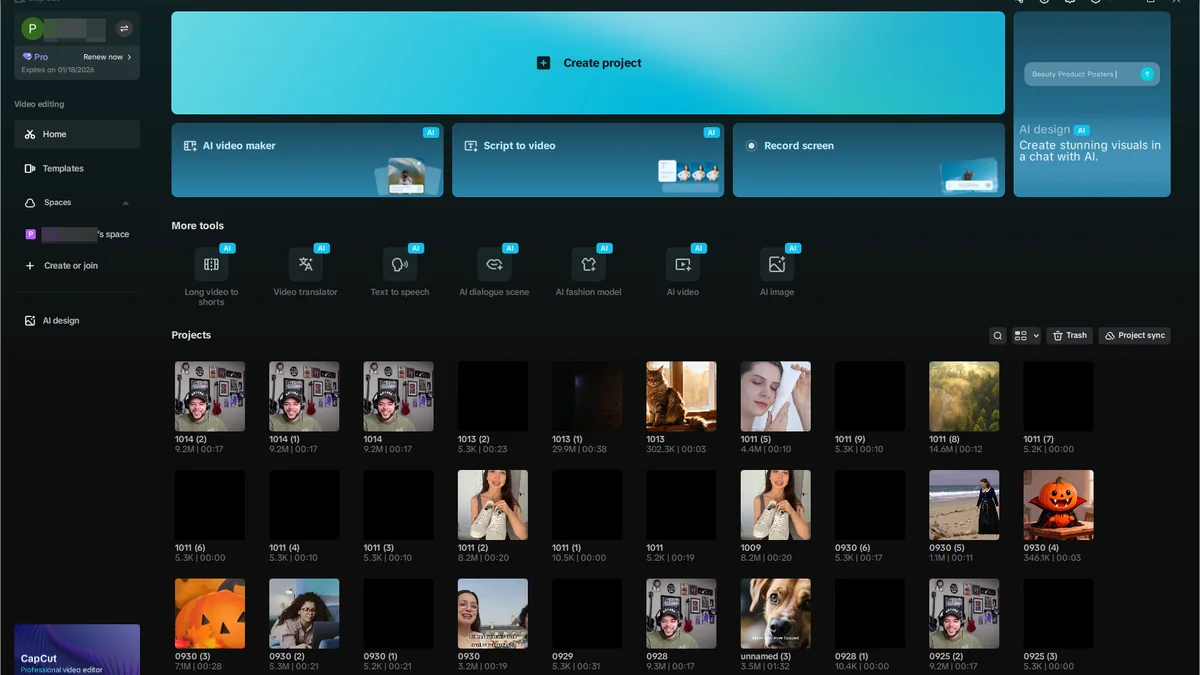
CapCut is free to download in the US. The browser version needs no install at all. Getting it is not the hard part. What trips people up is the billing.
In early 2026 CapCut split its paid plan in two. The old tier kept its price under a new name. The features people actually subscribed for moved up to the more expensive one.
I went through every entry point on September 29, 2026. I also pulled the current plan prices from CapCut’s own checkout and the app store listings. What follows is where each version lives, what the free tier actually limits, and the one cost that shows up after you subscribe.
Last updated: September 29, 2026. The prices here moved twice during 2026. Treat the numbers as a snapshot and confirm the figure in your own checkout before you pay.
The four ways in
CapCut is not one app. There is a browser editor and a desktop program, plus two mobile apps. Then come the APK builds, which CapCut itself does not publish.
| Way in | Where it lives | Covers | What to know |
|---|---|---|---|
| Browser | capcut.com, then sign in | Whatever the account can reach | Will not open the editor until you sign in |
| Desktop app | CapCut’s own download page | Windows and macOS | Not distributed through an app store |
| Mobile | The App Store and Google Play | iPhone, iPad, Android | Where most edits actually happen |
| Side-loaded APK | Third-party mirrors | Android only | Not an official channel. See the warning below |
Three of those four are official. The fourth exists because a lot of people go looking for it. The autocomplete data says so directly: “capcut apk”, “capcut apk download” and “capcut apkmirror” are all terms real users type into Google.
The desktop app is worth one more paragraph. It behaves differently from the mobile ones. It downloads from CapCut’s own page rather than a store. The installer is a straight two-step process. If the download does not start on its own, CapCut keeps a fallback link on that same page.
There is no Chromebook build. A Chromebook can run the Android app if the device supports Android apps. But CapCut does not list ChromeOS as a supported platform, and “capcut for chromebook” is a search term for a version that does not exist.
The mobile apps are the least interesting option. They are also the most used one. They take the same account as the browser, and they sync drafts through the cloud once you have a paid plan. On the Standard tier, CapCut’s own comparison restricts the AI tools to mobile.
Where the login actually happens
CapCut will not open the editor until you are signed in. The web login screen I loaded offers five routes. The one it leaves out is the one people ask about most.
| Sign-in option | On the web login | What it means for you |
|---|---|---|
| Continue with Google | Yes | The fastest route for most US users |
| Continue with email | Yes | Independent of any social account |
| Continue with TikTok | Yes | Same parent company, separate account system |
| Continue with Facebook | Yes | Nothing extra attached |
| Continue with CapCut Mobile | Yes | Authorises the browser session from the phone app |
| Sign in with Apple | No | Not offered on the web login screen |
But the missing one is the interesting one. Apple sign-in is standard on iPhone apps. It is not on CapCut’s web login. People who created the account on a phone and then opened a laptop get stuck here, because the option they remember is not on the screen.
My suggestion is to pick Google. It works on every CapCut surface. It is the same identity on desktop and browser, and it does not tie your editing account to a social posting account.
That last point matters more than it sounds. “Continue with TikTok” signs you in with the account you post from. If you run more than one profile, or you ever hand a project to someone else, you have now coupled two things you did not need to couple. I am not saying it breaks anything. I am saying the Google button costs you nothing and avoids a question later.
The $9.99 tier that changed names
This is where most of the confusion comes from. Most of the pages ranking for CapCut pricing still describe the old model.
Until early 2026, CapCut had two tiers. Free, and Pro at $9.99 a month. That split is gone. There are now three public tiers plus a team plan, and the $9.99 price point survived as the cheaper of the two paid ones.
| Plan | Monthly | Yearly | Max export | AI tools |
|---|---|---|---|---|
| Free | $0 | $0 | 1080p, with a watermark | Basic only |
| Standard | $9.99 | No annual option in most regions | 1080p | Limited, mobile app only |
| Pro | $19.99 | $179.99, about $15 a month | 4K and HDR | Full toolkit |
| Team | From about $24.99 per seat | Varies | 4K and HDR | Full toolkit |
Run the annual Pro number against the monthly one. Twelve months at $19.99 is $239.88. Paying upfront is $179.99. That is $59.89 saved, roughly three months free.
And there is a second price that almost nobody mentions. Subscribing through the iOS or Android app costs more per month than subscribing on the web. Apple and Google take a commission on in-app purchases, and CapCut passes it through. The published web prices are $9.99 and $19.99. The in-app prices run a few dollars higher for the same plan.
What free actually costs you
The free tier is not crippled. It is a real editor. For a lot of people it is enough. It is also more limited than the marketing suggests, in four specific ways.
| Limit | What it does in practice |
|---|---|
| Watermark | Every export carries one. Removing it needs Standard at minimum |
| 1080p ceiling | 4K export is Pro only. Standard does not include it either |
| AI features | Background removal and basic captions exist. Generative tools do not |
| Cloud storage | None. Drafts live on the device that made them |
But the template library is the softer limit. The free interface shows you a large catalogue. A meaningful share of it carries a paid badge. You find out which when you try to apply one.
The watermark is the line that decides it for most casual users. If you are cutting clips for your own feed, free works. If you are handing anything to a client, you are buying at least Standard.
The credit pool nobody warns you about
Pro includes a monthly pool of AI credits. The generative features draw from it. Everything else does not touch the pool at all.
| What | Number |
|---|---|
| Monthly AI credits on Pro | About 1,200 points |
| What consumes them | AI video generation and voice cloning, plus the heavier generative tools |
| What does not | Cutting, captions, basic background removal, standard transitions |
| Top-up price | From $4.99 per 100 credits |
So this is the one line item that turns a $19.99 subscription into a bigger bill. If you use generative AI weekly, the pool runs down. The top-ups are then a recurring cost on top of the plan. If you mostly cut footage and add captions, you will never notice it exists.
Cloud storage is the other number to check. CapCut’s own materials have quoted different allowances at different points during 2026. The honest answer is that you should read the figure on your own plan page rather than trust a table. What is consistent is the direction. Pro gets substantially more than Standard, and Standard gets roughly 100GB.
Where people get stuck
The support questions around CapCut cluster into a handful of problems. One of them has a wrong answer floating around, and it is worth correcting directly.
| Symptom | What is actually going on |
|---|---|
| Looking for a CapCut support phone number | There is no phone support. CapCut handles everything through in-app forms and email |
| Cannot cancel the subscription | Cancellation depends on where you bought it. App Store and Google Play purchases cancel in those stores, not in CapCut |
| Charged after cancelling | Cancel at least 24 hours before the renewal date. CapCut’s stated refund window is 14 days from the subscription start |
| “Install stuck at 95%” | Desktop installer stalled. Kill it and rerun, but check free disk space first |
| Network errors and crashes mid-edit | Mostly the mobile app under memory pressure. Free up storage and restart before reinstalling |
But the phone number row is the one I would put at the top of any FAQ. “CapCut customer service phone number”, including the variants that add “usa” and “24/7”, are terms people search for in volume. CapCut does not offer phone support in any region I could find. The channels that do exist are email and an in-app form.
The official support address listed on both the App Store and Google Play listings is capcut.support@bytedance.com. Inside the app, the route is Settings, then Help Center or Report a Problem. The form attaches your device logs automatically. Reports come back by email. The stated turnaround is days, not hours.
And the cancellation friction people describe is real. The pattern behind most of it is buying in one place and trying to cancel in another. Decide where the subscription actually lives before you go hunting for a cancel button. Set a calendar reminder for the day before renewal. CapCut subscriptions renew automatically, and the annual plan is the one where a missed reminder costs the most.
Which plan I would pick
Four tiers is three more than most people need to think about. Here is how I would choose.
| If you | Pick |
|---|---|
| Cut short clips for your own accounts | Free. Accept the watermark and stop there |
| Want clean exports at 1080p | Standard, and subscribe on the web |
| Export 4K, or lean on the AI tools | Pro on the annual plan, and watch the credit pool for the first month |
| Edit with other people under one brand | Team, which is the only tier built for shared assets |
The combination I would avoid is subscribing in the iOS app for Pro and then trying to cancel from a laptop. That is the route that produces the “charged after cancelling” complaints. It is entirely avoidable by buying in a browser in the first place.
If you want the wider picture, the same check across ten Chinese AI apps puts CapCut next to the rest of them in one table, and the DeepSeek page runs this exact walkthrough on a different product. For the ones that never made it to a US app store, the second tier of Chinese AI apps is where the interesting names live. All of it sits under the China Tech in America index.
What I would watch next is the pricing. CapCut restructured once in 2026 and raised the top tier while doing it, so the number in that table is the least durable thing on this page. Everything about where the app lives and how you sign in should still be true next year.