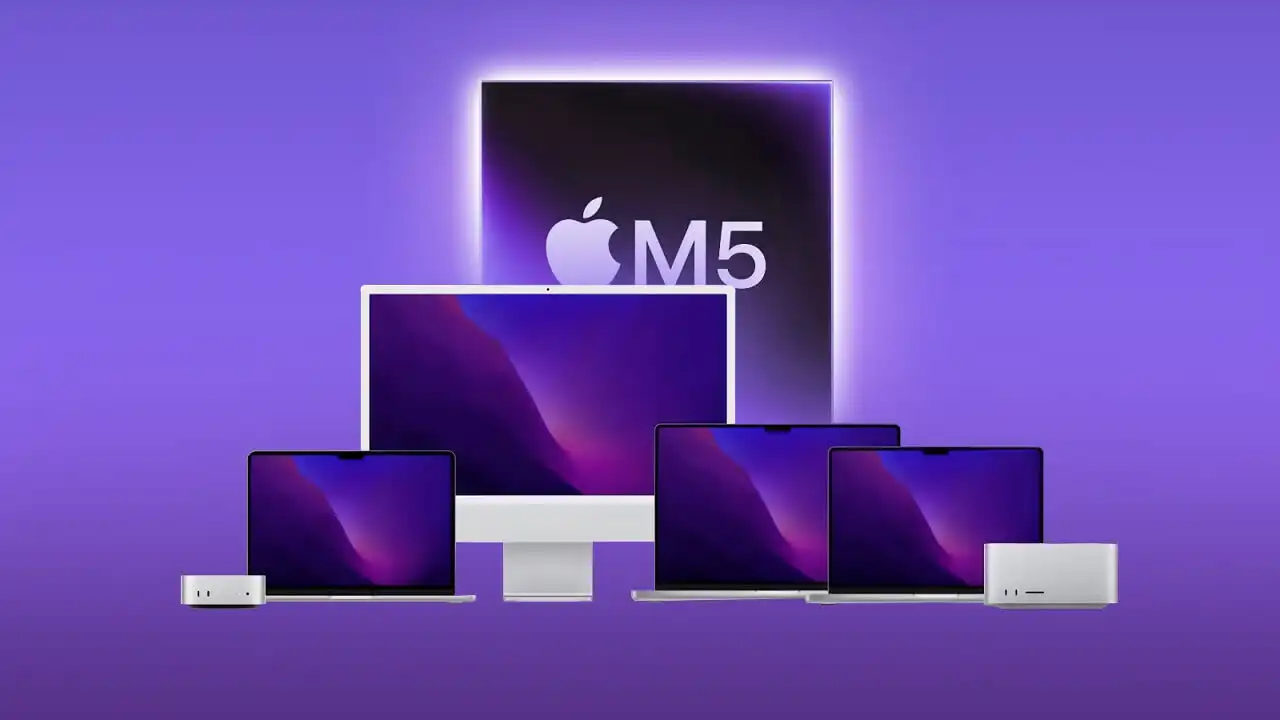
Apple announced the new Mac Studio with M5 Ultra yesterday, and my feed has been nothing but benchmarks and hot takes since. I was eating cereal when I saw the press release — not even kidding. I almost choked because the memory configs go up to 512GB now, which is insane for a desktop you can just… buy.
Here’s the thing. The question everyone’s asking isn’t “is it fast?” It’s “should I buy one?” And the answer depends entirely on what you’re trying to do.
I’m not going to pretend I’ve used one — they’re not even shipping until September 22. But I’ve been watching the local AI hardware space closely for the past year, and I’ve talked to enough people running M3 Ultra and DGX Spark setups to have a decent sense of where this lands.
Where M5 Ultra Actually Shines

The headline spec is 1.2TB/s of memory bandwidth and up to 512GB of unified memory. That’s a 50% bump over M3 Ultra. For local LLM inference, memory bandwidth is basically the whole game — once a model is loaded, generation speed is almost entirely about how fast you can read weights.
The M5 Ultra comes in three memory tiers: 96GB, 256GB, and 512GB. The 96GB model starts at $5,499. The 256GB config jumps to roughly $9,500, and 512GB pushes past that.
So what can each tier actually run?
At 96GB, you can comfortably run most 70B-class models at Q4 quantization. That’s a solid sweet spot for a lot of real-world use cases. At 256GB, you unlock 83 out of 96 tracked models natively in memory, including most 405B-class frontier models at lower quantization. At 512GB, you’re running basically everything.
How It Stacks Up Against NVIDIA
This is where it gets interesting. I actually covered the NVIDIA comparison in a previous piece, and the dynamics haven’t changed — the gap has just narrowed.
The RTX 5090 has about 1,800GB/s of bandwidth and 32GB of VRAM. For models that fit in 32GB, the 5090 absolutely demolishes the Mac — we’re talking 3-4x faster. For 7B models at Q4, the 5090 hits 130-150 tokens per second. The M5 Ultra (192GB config) does about 120-140 on the same workload. So even at its best, the Mac is slightly behind on small models.
But here’s the catch — and this is the part that actually matters. Most interesting models don’t fit in 32GB. A 70B model at Q4 needs roughly 40GB. The 5090 can’t hold it. You have to offload to CPU, and performance drops off a cliff.
The DGX Spark is NVIDIA’s answer to this problem — 128GB of unified memory at 273GB/s for $4,699. It can run 70B models at Q4 at 35-45 tokens per second. The M5 Ultra 256GB, at 1.2TB/s, should comfortably beat that on generation speed — the bandwidth math is pretty straightforward. For reference, two DGX Sparks give you the same 256GB total, but at 273GB/s each. That’s roughly 4.4x the memory bandwidth on the Apple machine.
The 96GB vs 256GB Question
This is the hardest call. 96GB feels like enough for today — 27B to 70B models fit fine. But here’s what’s coming: Qwen3.8-Flash-Next, a 125B MoE model that activates 6B parameters per token, needs about 104GB at 4-bit. That’s already nudging past 96GB.
From what I’ve seen reported, running DeepSeek V4 Flash on M5 Max 128GB gives about 550 tokens per second on prefill and 42 tokens per second on generation. The M5 Ultra 256GB, with its 1.2TB/s bandwidth, should push prefill to roughly 1,200 tokens per second and generation to about 70 tokens per second. That’s the difference between “usable for small tasks” and “smooth for medium tasks.” V4 Flash picks up vision too, which changes what you can throw at it.
So 96GB is the sensible choice for the next two years. 256GB is the hedge against the next three to five. If you’re buying for a team or for a business, and you’re dealing with sensitive data that can’t go to the cloud, I’d lean 256GB. The extra $4,000 hurts, but you’re not going to hit a memory wall in year three and regret it.
One High-End Machine or Multiple Cheaper Ones?
Apple says you can cluster up to four Mac Studios over Thunderbolt 5 and get up to 3x faster AI inference. That sounds great on paper.
But in practice? Model splitting adds overhead. Communication between machines isn’t free. And the software ecosystem for multi-node inference on Apple Silicon is still maturing. NVIDIA’s CUDA stack has had years to optimize this. MLX is catching up, but it’s not there yet.
For most small teams, a single 256GB M5 Ultra is going to be simpler to manage and more reliable than two 96GB machines stitched together. The only scenario where multiple machines make sense is if you absolutely need to run multiple models simultaneously, or if you’re doing distributed training. For inference? One big box beats two smaller ones.
Who Should Actually Buy This
Let me be direct. If you’re just curious about AI and want to play around, don’t buy this. Get an API key. Spend $20 a month. It’ll be cheaper and you’ll get better models. And if you just want something always-on at home, an old phone can go surprisingly far.
If you’re dealing with sensitive data — proprietary code, customer information, anything regulated — and you need to keep it local, the M5 Ultra is suddenly a very real option. The alternative used to be an RTX Pro 6000, which costs more than $10,000 and is impossible to find. Or a multi-GPU setup that costs as much as a car and sounds like one too.
The M5 Ultra 256GB, at roughly $9,500, is cheaper than a Pro 6000, faster than a DGX Spark on generation, and quiet enough to sit on your desk. That’s a compelling package for small teams with budget constraints.
I’ve seen people predict these things will hold value well — maybe even appreciate in the short term, given the demand and the memory constraints in the market. I’m not going to tell you to buy one as an investment, because that’s ridiculous. But I will say: if you buy one and take care of it, you probably won’t lose your shirt when you sell it in a couple of years.
Bottom Line
The M5 Ultra Mac Studio is not for everyone. It’s overkill for tinkering and underpowered for serious research compared to a multi-GPU NVIDIA rig. But for the specific use case of running large models locally with sensitive data, on a budget, with a team of maybe three to ten people? It’s the best option on the market right now.
96GB is the pragmatic choice. 256GB is the future-proof choice. Skip it if you’re expecting cloud-grade model quality — the open-weight models still lag behind the frontier models from OpenAI and Anthropic. But if you need privacy and you need it now, this is worth a serious look.
I’ll keep watching the benchmarks once these actually ship. We’ll see what happens.
Warning: Permanently added ‘[149.248.16.233]:2222’ (ED25519) to the list of known hosts.