Google just quietly changed how watermarks work in Gemini. And honestly? It’s a smarter move than it sounds.
The headline is simple: you can now turn off the visible “sparkle” watermark on images, videos, and music that Gemini makes. Go to Settings → Media Watermark, flip it off, and your files come out clean. No shiny badge in the corner.
Google is trimming a lot of things this year, and Google Assistant shutting down on September 4 is the one that actually lands on real people. The watermark change is smaller, but it tells you something about where Google’s head is at.
But here’s the catch, and it’s a big one. The invisible watermarks don’t go anywhere.
SynthID and C2PA metadata stay embedded in the file. There’s no toggle for them. You can’t see them, but any machine can read them and say “this came from AI.” If you’re ever unsure about an image, you can just ask Gemini or Google Search and it’ll tell you.
And if you send mail from another address through Gmail, mark this down: third-party “Send As” stops working in January 2027. Different product, same theme of Google tightening what used to be automatic.
I’ll be honest: my first thought was “why bother?” If you let people remove the visible mark, what’s stopping them from pretending the whole thing was handmade?
Then I realized I had it backwards. The visible mark felt like protection, but it was theater. The real question was never whether you could see the stamp. It was whether a system somewhere could prove where the file came from, and that question was already answered by the stuff you couldn’t see.
So what’s actually doing the protecting?
The visible watermark was never the real safeguard. It’s a tiny sparkle in the corner. Anyone who wanted it gone could crop it out, paint over it, or just regenerate until they got a frame they liked. It was a polite sticker, not a lock.
The real safeguard is the invisible stuff. SynthID and C2PA are baked into the file itself. They survive cropping, compression, screenshots, and re-uploads. You can’t Photoshop them away, because there’s nothing to point at. That’s actual provenance, a record of where a file came from, travelling along with the file. It’s the difference between a label you can peel off and a property of the thing itself.
And Google isn’t alone here. OpenAI uses the same SynthID and C2PA. Meta has its own Content Seal. Just this week, Anthropic said they’re rolling out invisible watermarks for text and images too. The whole industry is quietly agreeing on the same split: visible marks are cosmetic, invisible ones are the real thing.
C2PA is worth a word on its own. It’s an open standard, not a Google invention, which is why Meta and others can plug into the same provenance idea. That matters because a watermark only works if the places that display files agree to read it. An open standard is more likely to get adopted than a secret one, and adoption is the whole game.
Text watermarking is a genuinely harder problem than image watermarking, by the way. You can’t hide a signal in pixels when the output is words. If that specific trick interests you, I wrote about how Claude’s invisible watermark actually works separately, and it’s a different mechanism from the pixel approach Google uses.
Josh Woodward, who runs Google Labs and Gemini, called the change “striking a balance between creative control and safety.” I think he’s right. Creators get clean files without a distraction in the corner. Platforms still have a way to check authenticity. The only losers are people who wanted to pass AI art off as handmade, and honestly, they were never going to be stopped by a sparkle anyway.
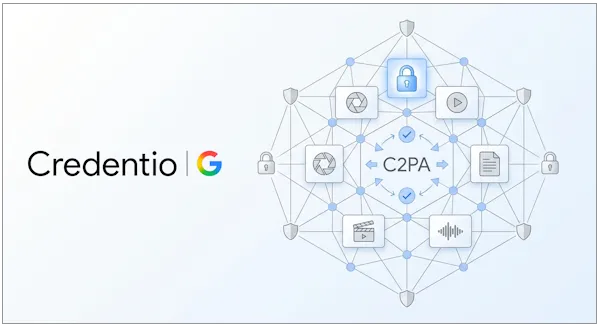
Oh, one more thing. Google also open-sourced a C++ library called Credentio alongside this announcement. It’s the same code they use to validate C2PA credentials across nearly 40 products. Why does that matter to you? Because it lets developers verify content provenance locally. No uploads, no cloud, no privacy question, no bandwidth bill. Just an instant check inside your own app. If you’re building anything that needs to know whether a file is AI-generated, that’s a pretty big deal, and open-sourcing it means the check isn’t locked inside Google’s servers.
Will you actually get the toggle?
Depends where you live. The setting rolls out over the next few days, but not everywhere. Countries that legally require visible watermarks, China, South Korea, and EU member states, won’t get it. If you’re in one of those places, your sparkle stays.
That one’s worth sitting with, because it’s a rare case where the same Google account gets different software depending on the country. Compliance is drawing the line here, not product design. And it means “is there a watermark on this?” now has a different answer depending on where the person who made it happened to be sitting.
Here’s the part I’d actually use, though. If someone sends you an image and you want to know whether it’s AI, you don’t need special software. Ask Gemini, or run it through Google Search, and the invisible metadata answers for you. That’s the whole point of keeping it around: the check is boring, instant, and doesn’t require trusting whoever sent you the file.
If you’re not sure which camp you’re in, check the Gemini settings screen directly rather than trusting a blog post, because rollouts are gradual and your account might flip a week after your neighbor’s. The absence of the toggle on day one isn’t proof you’re blocked. It might just be that the rollout hasn’t reached you yet.
The uncomfortable flip side is that “AI-generated” becomes a permanent label on anything made with these tools, even when the AI part was incidental. The marks don’t distinguish between “the model invented this” and “the model cleaned up a corner of it.” As more real workflows end up somewhere in the middle, that line is going to get blurrier, and I don’t think anyone has decided yet what to do about it.
I’m genuinely curious how this plays out. Will most people flip the switch, or leave it on out of habit? Will the invisible watermarks hold up against someone determined to strip them? I don’t know.
But I like the direction. Google could have kept the visible mark and called it done. Instead they made a thoughtful trade: give creators the clean file they want, keep the safeguard that actually works, and hand the verification code to everyone else so they can build on it.
That’s worth paying attention to.
I might change my mind next week. We’ll see.