Got a bunch of these emails this morning.
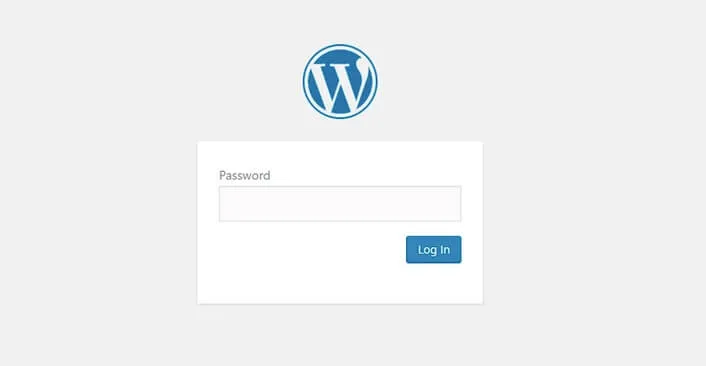
“Password reset request for your account.” Over and over. From my own site. I didn’t ask for any of them. Someone, or something, was poking the “lost password” button on piall.com.
Annoying? Yes. Scary? Not really. At least not after I looked closer.
Here’s the thing. WordPress sends that email when anyone types in a valid username or email address. It doesn’t mean they got in. It just means they know your site exists, which, you know, it does, publicly, by design.
So I did what most people would do: panicked for about three seconds. Then I checked things.
Admin password? Fine. Email password? Changed it anyway, why not. Backup email? Oh yeah, that exists. Changed that too. Two-factor? Already on. Any strange admin accounts in the dashboard? None. Files looked clean. xmlrpc.php? Blocked that ages ago.
So the door was locked. They were just knocking. Loudly.
Also, the IP address in that reset email? Useless. I run the site through Cloudflare, so that IP is probably just a proxy node. Could be the attacker, could be some random CDN edge. No way to tell. I stopped caring about it after two minutes.
Why I turned it off instead of hardening it
I could have gone down a rabbit hole. Hide /wp-admin/. Add a captcha to the login page. Rename the admin user. Write a fancy Cloudflare WAF rule. All good ideas, and I have done some of them on bigger sites in the past.
But honestly? I’m lazy. And my blog is tiny. I’m the only person who ever logs in. On a site with real traffic and a few editors, I would not recommend the brute-force approach I am about to describe. You need a reset path, because people forget passwords and that is normal.
Which raised the actual question: why do I even need a password reset feature?
I don’t.
So I added one line to my theme’s functions.php:
add_filter('allow_password_reset', '__return_false');
That’s it. That’s the whole fix.
Now when someone, or some bot, tries to use the reset form, they get “Password reset is not allowed for this user.” The emails stopped. Total time: about 30 seconds.
One honest caveat before you copy this. If you forget your password after you’ve done it, you can’t get back in the normal way. You’d have to re-enable the filter, or reset the password from the database or the command line over SSH. On a one-person blog that’s a fine trade. On a site with three editors and no SSH access, it’s a good way to lock yourself out on a Sunday.
I want to be clear about the trade here. Turning off resets does nothing for the actual lock on your door. Your password is still the only thing standing between a stranger and your dashboard. If that password is “password123” or your dog’s name, you have solved the wrong problem. The reset form is noise. A weak password is the real hole. So before you do anything I describe here, set a long random password and turn on two-factor. Then, and only then, think about the reset button.
The part that actually matters
Why did this happen at all? Because WordPress is too helpful. It ships with a pile of endpoints open by default, /wp-login.php, /wp-admin/, xmlrpc.php, and yes, the password reset endpoint. Bots scan for these around the clock. It isn’t personal. It’s just the internet being the internet.
I’m not saying WordPress is bad. I’ve used it for years. But the defaults are built for everyone, and “everyone” includes bots. You have to close the doors you don’t need.
Since I was already in there, I closed a few more of the same kind, the ones that leak information without ever asking for a password. The user-listing endpoint that will happily tell a stranger which usernames exist. The ?author=1 trick that redirects to the author archive and exposes a login name. readme.html and license.txt, which announce your version number to anyone who asks.
None of those are exploits. They’re just free hints, and there’s no reason to hand them out.
Also, my cat walked across my keyboard while I was testing the fix. She typed “asdf” into the login field. Not relevant. But it happened. And now you know.
The other thing worth checking while you’re at it is whether anything actually changed. A reset request is noise. A successful reset changes the stored password hash. The cheap test for which one you’re looking at: try logging in with your own password. If it still works, nothing happened.
If you want a slightly more serious version of the same idea, watch your logs for a spike in POST requests to wp-login.php. One or two a day is background noise from the internet. A few hundred in an hour is someone working a list. You don’t need a security plugin to see that, just a look at the access log now and then. The point is to notice the difference between being knocked on and being picked.
To be fair, I might be overcomplicating this. I could have just ignored the emails and moved on. But they bug me, and disabling the feature took less time than deleting them would have.
Oh, and I should mention my VPS is only $6 a month. Nothing fancy. It runs Redis for caching and Nginx for the web server. That’s a story for another day.
If you’re running a WordPress site and you’re the only person who logs in, do yourself a favor and turn off password resets. You don’t need them. If you ever forget your password, enable it for ten minutes, reset, turn it off again. It isn’t complicated.
That said, this wasn’t even the scariest thing in my inbox this month. If you want the version of this story where the honest answer was “yes, go patch it today,” I wrote about Apple’s Screen Sharing bug while that one was going around. Completely different response.
I’m not 100% sure I’m doing this right. Maybe there’s a better way. But for now the noise stopped, and I’m happy with that.
I’ll keep it like this for a while. Might add a WAF rule later. Or not. We’ll see.
Now go close your own open doors. Or don’t. Your call.